
Top-Rated Home Camera Installation in Dubai
Home camera installation in Dubai covering villas, apartments, townhouses, and compounds, with IP and wireless cameras, NVR setup, storage configuration, and mobile app access. Dubai Technical Works installs a four-camera system from AED 1,200, finishes most homes in a single day, and backs every job with a 12-month workmanship warranty.
Call +971 55 711 3252 or WhatsApp us for a free site survey.
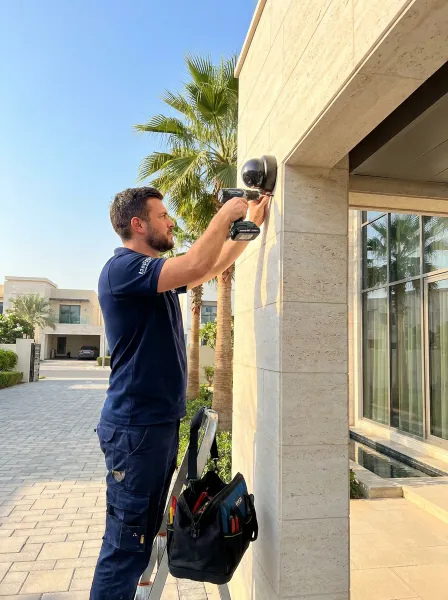
Home Security Installation Service for Villas and Apartments
We install for homeowners, villa owners, apartment residents, tenants, landlords, property managers, and home-based business owners across Dubai, Sharjah, and the wider UAE.
Three kinds of jobs come through. New installs, where there is nothing in place. System expansion, where you have four cameras and need four more. And takeover of an existing setup, usually when the original installer has disappeared and nobody has the recorder password.
Our home security installation service covers indoor and outdoor cameras, video doorbells, motion sensors, door and window contacts, NVR and DVR setup, PoE networking, storage sizing, remote viewing and alert configuration.
You can book supply-and-fit, where we source the equipment, or labour-only if you have already bought a kit. Both get the same setup and handover. For commercial premises, see our CCTV and security services.
How Many Cameras Does Your Home Actually Need?
Property | Cameras | Typical Coverage |
Studio / 1BR apartment | 1 – 2 | Main door, living area |
2–3BR apartment | 2 – 4 | Main door, balcony, hallway, living area |
3BR townhouse | 4 – 6 | Front door, rear door, driveway, garden, stairwell |
4–5BR villa | 6 – 8 | Gate, driveway, front and rear doors, garden, garage, side access |
Large villa with compound | 8 – 16 | All of the above plus perimeter walls, pool area, staff entrance |
Most Dubai villas get sold with too many cameras and too little storage. Four well-placed cameras covering every entry point beat eight pointed at empty garden. We survey first and tell you where the real blind spots are.
Where Cameras Should and Should Not Go
The Coverage Points That Matter Most
Every entry point first: main door, rear door, garage door, gate. Then driveway and parking, because vehicle incidents are the second most common thing clients come back to review. Then internal stairwells or hallways where an intruder would have to pass. Everything else is optional.
One placement rule people get wrong: a camera mounted directly above a door sees the top of a head, not a face. Mount it 3 to 4 metres back at around 2.5m height, and you get a usable identification shot.
Camera Placement and UAE Privacy Law
Recording areas where other people have a reasonable expectation of privacy creates real legal exposure in the UAE, and penalties for unlawful recording are serious.
That means no cameras in bathrooms, bedrooms or staff quarters, regardless of who owns the property. It also means not pointing a camera into a neighbour’s garden, at their front door, or into their windows.
Shared Corridors, Neighbours and Communal Areas
Apartment corridors, lobbies, lifts and car parks are the building’s responsibility, not yours. A camera in your doorway pointing down a shared corridor records your neighbours going about their day, and building management can require its removal.
We position cameras so coverage stops at your boundary. Where a doorway camera is the only option in an apartment, we angle and mask it to cover your entrance only.
Wired or Wireless? The Honest Comparison
PoE Wired Systems
Power over Ethernet carries power and data down one Cat6 cable. The camera does not depend on your WiFi, does not need a socket, and does not drop out when someone streams a film. This is what we fit in villas and anywhere recording reliability matters.
WiFi and Battery Cameras
Wireless cameras work well in apartments where the router is close, and the walls are thin. They suit renters because nothing permanent gets drilled. Battery models need recharging every two to five months depending on how often they trigger.
Which One Suits Your Home
In a three-floor villa, WiFi cameras at the far end of the garden will drop out. We have been called to too many “faulty camera” jobs that turned out to be a weak signal at the gate. Apartments and short tenancies suit wireless. Villas and anything you want recording continuously suit PoE.
The trade-off with PoE is cabling, which is what most people actually worry about.
Running Cable in a Finished Home
The real question is how much mess.
We route through ceiling voids, existing conduit, service risers, and skirting trunking wherever a route exists. In apartments with gypsum false ceilings, most runs are completely concealed with no visible trunking anywhere.
In older villas with solid slab ceilings, some surface trunking is sometimes unavoidable. We run it along skirting lines or cornice edges and paint it to match, so it reads as part of the finish rather than an add-on. Where a wall has to be opened for a run, we patch, skim and make good. Our false ceiling and painting teams handle that part, so you are not left with a hole and a phone number for someone else.
Cameras, Recorders and What the Specs Mean
Camera Types for Home Use
Dome cameras for indoor and discreet outdoor mounting. Bullet cameras for long-range driveway and perimeter views. Turret cameras where IR glare off a wall is a problem. PTZ for large compounds. Doorbell cameras for the entrance. Floodlight and solar models for areas with no power run.
Resolution: 2MP, 4MP and 8MP in Practice
2MP (1080p) is fine for a doorway at close range. 4MP is the sweet spot for most homes and what we fit by default. 8MP (4K) matters when you need to read a number plate at the gate or identify a face across a large garden. Higher resolution eats storage, which is the next trade-off.
NVR, DVR and Hard Drive Storage
NVRs record from IP cameras over the network. DVRs record from older analogue systems over coaxial. Both need a surveillance-grade hard drive, not a desktop one. Desktop drives fitted to save a few hundred dirhams often fail within eighteen months and take your footage with them.
Night Vision, IR Range and Colour Night Mode
Advertised IR range assumes open darkness. In a walled villa garden with light bouncing off surfaces, real usable range is roughly half the number on the box. Colour night vision needs ambient light to work, so it performs well on a lit driveway and poorly down a dark side passage.
Brands We Install
Hikvision, Dahua, Ezviz, Ring, Reolink, Uniview, CP Plus and TP-Link Tapo. We name the exact camera and NVR model on your quote. A quote that just says “4 cameras” is hiding the specs.
How Much Storage Do You Need for 30 Days?
A 4MP camera recording continuously uses around 12 to 16GB a day. Four cameras need roughly 3 to 4TB for a full 30 days. Eight cameras need 6 to 8TB.
Most retail kits ship with a 1TB drive, on a four-camera system, that holds about eight days before it starts overwriting. People discover this when they go looking for footage from three weeks ago and find it gone.
Motion-only recording stretches retention, but a camera facing a busy street or a windy garden triggers almost continuously, so the saving is smaller than the box suggests.
Transparent Home Camera Installation Prices in Dubai (2026)
Free Site Survey and Fixed Quote
The survey takes 45 to 60 minutes. We walk the property, identify entry points and blind spots, check network and power, agree camera positions with you, size the storage and issue a written fixed quote the same day. No charge and no obligation.
Supply and Install Package Prices
Package | 2MP (AED) | 4MP (AED) |
2 cameras + NVR + 1TB | 950 – 1,400 | 1,200 – 1,700 |
4 cameras + NVR + 2TB | 1,200 – 2,200 | 1,800 – 3,200 |
8 cameras + NVR + 4TB | 2,800 – 4,500 | 3,800 – 6,500 |
16 cameras + NVR + 8TB | 6,000 – 9,500 | 8,000 – 14,000 |
Packages include cameras, recorder, hard drive, PoE switch where needed, cabling, mounting, configuration, and mobile app setup.
Labour-Only Installation Prices
Service | Price (AED) |
Camera installed (per unit) | 150 – 300 |
NVR / DVR setup and configuration | 250 – 500 |
Mobile app and remote access setup | 150 – 350 |
Additional cable run (per point) | 120 – 300 |
Video doorbell installation | 250 – 500 |
Existing system takeover and audit | 350 – 700 |
Camera relocation (per camera) | 150 – 350 |
What Changes the Quote
Property size and number of floors, cable run distance, whether walls are gypsum or solid block, ceiling access, camera resolution, storage size, and whether you want doorbell or alarm integration.
Our Installation Process and Timeline

Free Site Survey and Camera Positioning
We walk the property with you, mark positions, check sight lines, and confirm what each camera will actually see. 45 to 60 minutes.

System Design, Storage Sizing and Fixed Quote
Camera and NVR models selected, drive sized against your retention target, written quote issued the same day.

Cable Routing and First Fix
Cable routes planned and run through ceilings, conduit and trunking. The longest part of the job on a villa.

Camera Mounting, Aiming and Focus
Brackets fixed into solid backing, cameras aimed and focused against the actual view rather than a rough guess. On gypsum walls, we add backing or use rated anchors.

NVR Setup, Recording Schedule and Storage Configuration
Recorder configured, drive initialised, recording schedule set, and retention verified by checking playback.

Mobile App, Remote Access and Notifications
App installed on your phones, remote access tested from mobile data rather than your home WiFi, motion zones and sensitivity tuned.

Walkthrough, Handover and Password Setup
We walk through every camera view with you, show you playback and export, set your admin password, and hand it over in writing.
How Long Does Home Camera Installation Take?
| System | Survey | Cabling | Mounting | Config | Total |
|---|---|---|---|---|---|
| 2 cameras, apartment | 45 min | 1–2 hrs | 1 hr | 1 hr | Half day |
| 4 cameras, apartment | 1 hr | 2–3 hrs | 1.5 hrs | 1 hr | 1 day |
| 4 cameras, villa | 1 hr | 3–4 hrs | 2 hrs | 1 hr | 1 day |
| 8 cameras, villa | 1 hr | 5–7 hrs | 3 hrs | 1.5 hrs | 1–2 days |
| 16 cameras, compound | 1.5 hrs | 1.5 days | 1 day | 2 hrs | 3 days |
Wireless systems cut cabling time to almost nothing, so a four-camera WiFi setup in an apartment is a half-day job.
Do You Need SIRA Approval for Home Cameras?
What SIRA Covers and What It Doesn’t
The Security Industry Regulatory Agency regulates surveillance for commercial and regulated premises: shops, restaurants, hotels, warehouses, banks and building common areas. Those sites face approval, specification and retention requirements.
Villas and Private Homes
A camera on your own villa covering your own property is a different matter from a shop or a building lobby. The constraints that apply are the privacy rules covered earlier, plus any community or developer restriction on external fixings and facade changes.
Apartments, Towers and Building Management NOCs
This is where it gets practical. Most Dubai towers require a contractor NOC before anyone drills: trade licence copy, public liability insurance, worker Emirates ID details, a refundable deposit of AED 1,000 to 5,000, and a booked service lift. Drilling hours are usually restricted to 9 am–6 pm on weekdays.
Approval takes 2 to 5 working days. Tell us your building when you book, and we start the submission immediately.
Renting? What You Need Before Installing Cameras
Landlord Permission and Your Tenancy Clause
Get written consent before fixing anything permanent, and read your tenancy clause first. Many Dubai contracts restrict alterations outright. A verbal yes from an agent will not protect your deposit at handover.
Removable Options for Tenants
Battery and WiFi cameras on adhesive or clamp mounts leave no holes. Video doorbells fit over existing bell wiring in many apartments. These cost more per camera but avoid the whole permission problem.
What Comes Out at End of Tenancy
Most contracts require the property to be returned in original condition. That means removing cameras and cabling, filling the fixing points and touching up the paint. Budget for all three, and plan it alongside move-out painting so the inspection sees a finished wall.
Remote Viewing, Alerts and App Setup
We configure the manufacturer app on iOS and Android, set up P2P or port forwarding, and test remote access from mobile data rather than your home WiFi. If it only works on your own network, remote access is not working.
The most common complaint after an install is alerts firing at every passing car. We set motion zones so the camera ignores the road and watches your gate, tune sensitivity and enable person detection where the camera supports it.
Remote access usually breaks for one of three reasons: your ISP swapped the router, a firmware update reset the registration, or someone changed a password. All three are quick fixes.
Cameras in Dubai Heat, Dust and Humidity
IP Ratings and What They Actually Mean Outdoors
IP66 or better for anything outdoors. The rating covers the housing, not the cable gland, and water entering through a badly sealed cable joint is the most common outdoor camera failure we see. We seal and weatherproof every external connection.
Dust on Dome Bubbles and Image Haze
Dust settles on dome bubbles continuously and bonds harder in humid months. A camera that looks sharp in March is visibly hazy by September. Outdoor cameras here need cleaning every three to four months, not annually.
Coastal Humidity, Salt Air and Corrosion
Properties in Dubai Marina, JBR, Palm Jumeirah and Jumeirah take in salt-laden air that corrodes brackets and housing screws. Once a gasket fails, humid air gets inside and condenses on the lens overnight, which you cannot clean from outside. We use stainless fixings and reseal early.
Where the layout allows, we mount cameras under soffits and eaves. Direct sun on a housing shortens IR LED and sensor life considerably.
Before You Buy a Kit Online
Five checks before you click buy.
- Drive size against camera count. 1TB on four cameras holds about eight days, not a month.
- NVR channel count. An exact-fit 4-channel recorder means a new NVR when you add a fifth camera.
- PoE or separate power. Non-PoE cameras need a socket at every position, which is a bigger job than the cable.
- Actual IR range. Halve the advertised figure for a realistic walled-garden estimate.
- Multi-user app support. Some budget systems allow one logged-in device at a time.
An AED 900 eight-camera kit with a 1TB drive is a false economy. It overwrites in four days.
Integrating Cameras With Your Smart Home
Cameras work better as part of a system than on their own. Doorbell cameras tied to smart locks so you can see and let someone in. Motion-triggered outdoor lights. Feeds on a wall tablet. Alerts linked to door and window sensors so you know which entry point fired.
We integrate with common automation platforms and can tie cameras into alarm panels, intercoms, and smart lighting. Feature support depends on the specific camera and platform, so we confirm compatibility at survey stage rather than promising it afterwards.
Maintenance, Hard Drives and System Health
Lens and dome cleaning quarterly, hard drive health check annually, firmware updates when the manufacturer releases security patches, and a retention check to confirm the system still holds what you think it does.
Surveillance-grade drives last 3 to 5 years under continuous write in Dubai conditions. We check drive health at every visit and tell you when a drive is approaching failure rather than after it takes your footage. See CCTV maintenance.
Recent Home Camera Installations in Dubai
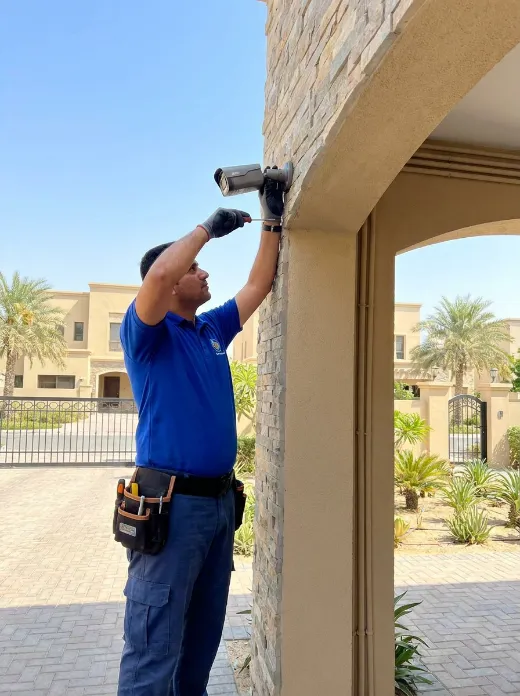
Villa, Arabian Ranches. 8 × 4MP PoE cameras covering gate, driveway, both doors and perimeter, 4TB NVR, fully concealed cabling. AED 5,900, two days.
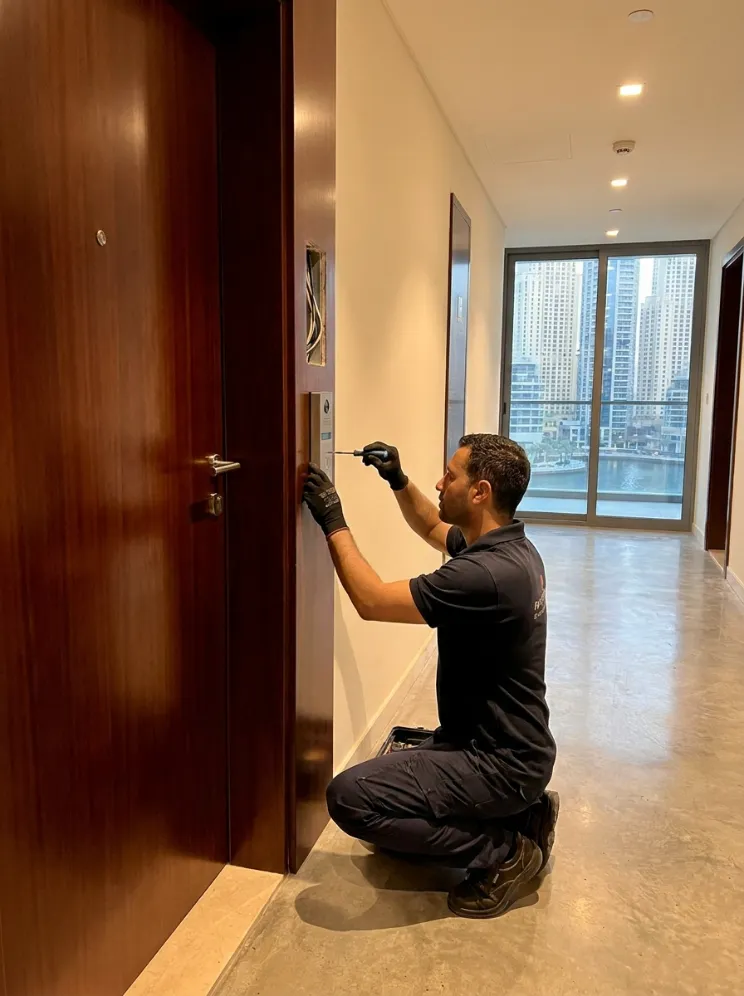
Apartment, Dubai Marina. 3 × 4MP cameras plus video doorbell, 2TB NVR, building NOC handled. AED 2,650, one day.
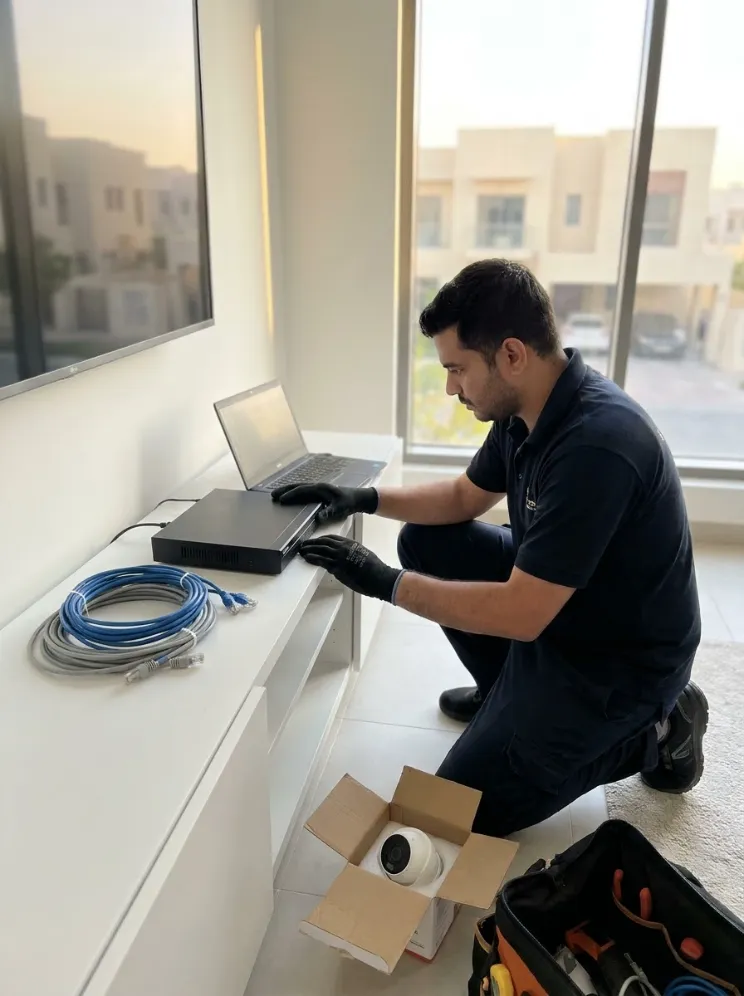
Townhouse, JVC. Takeover of an existing 6-camera system with a lost admin password. Access recovered, two faulty cameras replaced, storage upgraded to 4TB. AED 2,100, one day.
Areas We Cover Across Dubai
Business Bay
Downtown
DIFC
JLT
Jumeirah
Umm Suqeim
Emirates Hills
Palm Jumeirah
Arabian Ranches
Dubai Hills Estate
Al Barsha
Dubai Marina
Al Quoz
DIP
Jebel Ali
Industrial Zones
Dubai Silicon Oasis
Dubai South
Deira
Bur Dubai
Abu Dhabi
Sharjah
Ajman
Why Choose Dubai Technical Works for Home Camera Installation
Licensed Company and Insured Technicians
Valid Dubai trade licence, public liability cover and worker insurance, with documentation kept NOC-ready so tower security is a formality rather than a wasted trip.
Fixed Written Quotes Naming Camera and NVR Models
The quote states the exact camera model, recorder, drive size, and cable type. If we open a ceiling and find no viable route, we stop and discuss options rather than running surface trunking across your living room and presenting it as finished.
You Own Your System and Your Passwords
Admin credentials are handed to you in writing at handover. No installer lock-in, no monthly fee to watch your own footage, and no phone call to us needed when you want to add a user. Taking over systems where nobody has the password is a weekly job for us, and it is entirely avoidable.
12-Month Workmanship Warranty
Twelve months covering mounting, cabling, and configuration. Cameras and recorders carry the manufacturer’s warranty, usually 24 months. Damage from power surges, third-party tampering, and water ingress through a connection we did not make sits outside it.
One Contractor for Cameras, Electrical, Ceilings and Making Good
Cable runs need ceiling access. New camera positions sometimes need power. We handle CCTV and security, electrical work, and ceiling repair in-house.
What Our Dubai Clients Say
Eight cameras across the villa and you cannot see a single cable anywhere. They ran everything through the ceiling void and patched the two walls they opened.
Hind
Arabian Ranches
They handled the building NOC for our Marina apartment, which the previous company told me was impossible. Three cameras and a doorbell, done in a day.
Thomas
Dubai Marina
“Previous installer kept the password and wanted a fee every time I needed anything. These guys recovered access and gave me the credentials in writing.
Zainab
JVC
FAQs
Frequently Asked Questions About Home Camera Installation in Dubai
A 4-camera 4MP system with NVR, 2TB drive, cabling and app setup costs AED 1,800 to 3,200 supplied and installed. Two-camera systems start at AED 950, and eight-camera systems run AED 2,800 to 6,500. Labour-only installation is AED 150 to 300 per camera plus AED 250 to 500 for recorder setup.
A 4–5 bedroom villa typically needs 6 to 8 cameras covering the gate, driveway, front and rear doors, garage, garden, and side access. Townhouses need 4 to 6. Large villas with compound walls need 8 to 16. Placement matters more than count: four well-positioned cameras beat eight badly aimed ones.
A two-camera apartment takes half a day. Four cameras in an apartment or villa take one day. Eight cameras in a villa take one to two days, and a 16-camera compound takes about three. Wireless systems cut cabling time, so a four-camera WiFi setup finishes in half a day.
SIRA regulates surveillance for commercial and regulated premises such as shops, hotels and building common areas. A camera covering your own private villa is a different matter. What applies at home is UAE privacy law on where cameras point, plus building management rules if you live in an apartment.
Most Dubai towers require a contractor NOC before any drilling: trade licence, insurance certificates, worker Emirates ID, and a refundable deposit of AED 1,000 to 5,000, plus a booked service lift. Drilling is usually restricted to 9 am–6 pm on weekdays. Approval takes 2 to 5 working days, and we submit the package for you.
Yes, with written landlord consent, and check your tenancy clause since many contracts restrict alterations. Wireless and battery cameras on adhesive or clamp mounts avoid drilling entirely, which suits short tenancies. At handover, you will need to remove everything, fill fixing points, and touch up the paint.
Not without recording your neighbours. Corridors, lobbies and lifts are building common areas, and management can require removal. Where a doorway camera is the only option, we angle and mask the view so it covers your entrance only. Recording areas where others expect privacy carries real legal exposure in the UAE.
Wired PoE for villas. WiFi cameras at the far end of a garden or on a third floor drop out, and a large share of “faulty camera” call-outs we attend turn out to be weak signal. Wireless suits apartments with a close router, or tenants who cannot drill.
Around 12 to 16GB per 4MP camera per day. Four cameras need 3 to 4TB for 30 days of continuous recording; eight cameras need 6 to 8TB. The 1TB drive in most retail kits holds about eight days on four cameras. Check drive size against camera count before buying anything.
Yes. Labour-only installation runs AED 150 to 300 per camera plus AED 250 to 500 for recorder setup and AED 150 to 350 for app configuration. Send us the model numbers first so we can confirm the kit does what you want, particularly drive size and PoE support.
Yes, through the manufacturer app over P2P or port forwarding. We test remote access from mobile data during handover, not from your home WiFi, because a system that only works on your own network is not actually set up for remote viewing. Travel does not affect it.
In apartments with gypsum false ceilings, rarely. In villas with solid slab ceilings, some surface trunking is occasionally unavoidable, and we run it along skirting or cornice lines and paint it to match. Where a wall needs opening for a route, we patch, skim, and make good.
Clean lenses and dome bubbles every three to four months in Dubai, not annually, because dust bonds to the bubble and hazes the image by the end of summer. Check hard drive health annually. Surveillance-grade drives last 3 to 5 years; desktop drives often fail within eighteen months.
Twelve months on workmanship, covering mounting, cabling, and configuration. Cameras and recorders carry the manufacturer’s warranty, typically 24 months. Power surge damage, third-party tampering, and water entering through connections we did not make are excluded, and we state that on the quote rather than afterwards.
Book Home Camera Installation in Dubai Today
Tell us your property type, how many entry points you want covered, and your building name. We will survey, design the system, and send a fixed written quote the same day.

Dubai Technical Works provides professional technical services in Dubai and reliable handyman services in Dubai for homes and businesses. We offer AC, electrical, plumbing, painting, waterproofing, CCTV, tiling, gypsum, and property maintenance services with skilled technicians, transparent pricing, and timely solutions.
Copyright ©Dubai Technical Works Designed BY Crew Innovations